The best OCR for Hindi images and PDFs with math and science
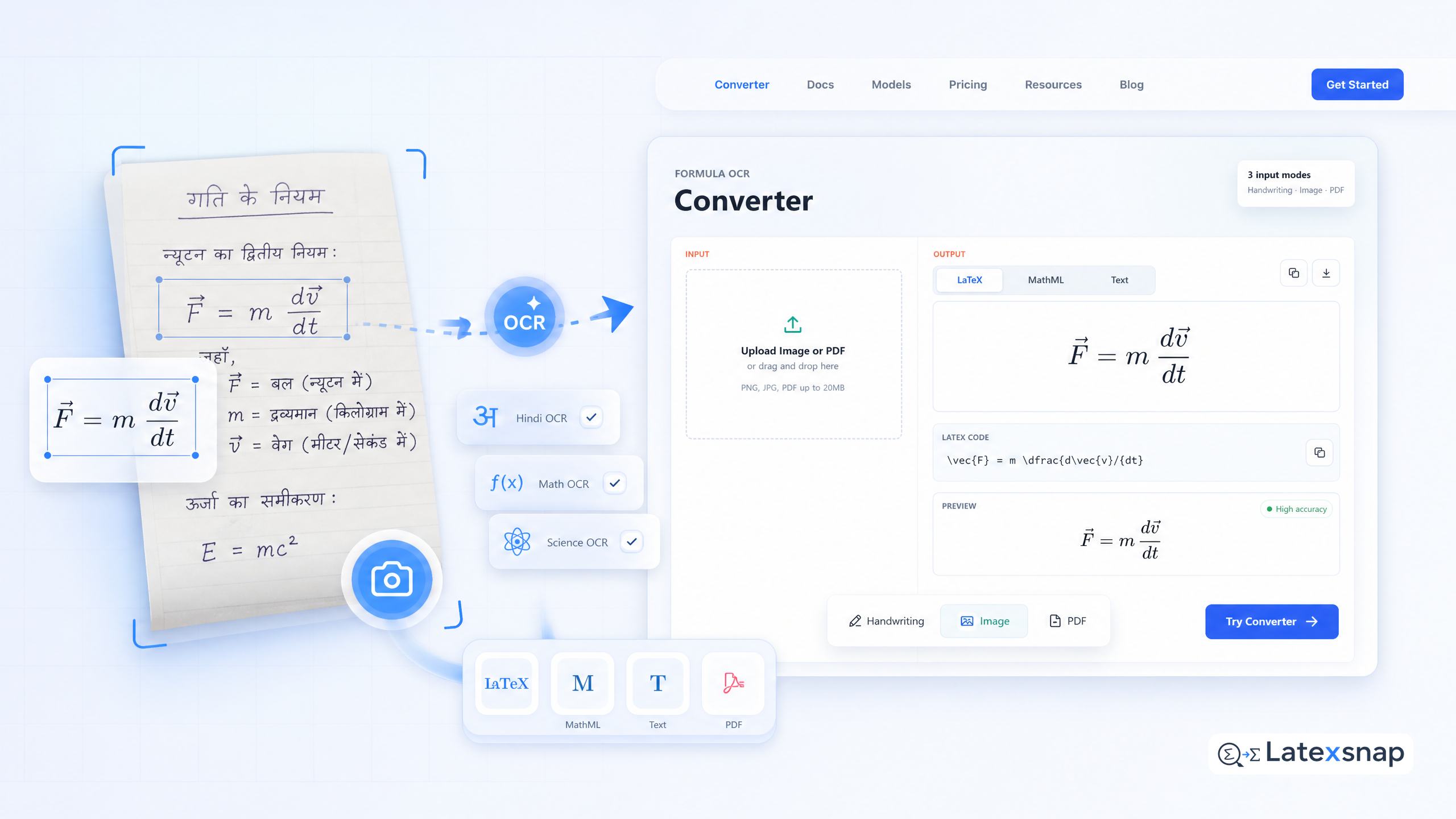
Students, researchers, and technical writers often need to convert handwritten notes, scanned PDFs, or image-based equations into editable LaTeX. Whether you're working with Hindi text, complex formulas, or mixed-language documents, the right OCR tool can save hours of manual typing.
LatexSnap is a powerful formula OCR tool designed to handle a wide range of document types, including Hindi, math, and scientific content. It supports bulk conversion of images and PDFs, making it ideal for students and professionals dealing with large volumes of formula-heavy files. For a related next step on document OCR workflow, see The best OCR for Cyrillic alphabet texts with math and science.
Why OCR matters for Hindi and math documents
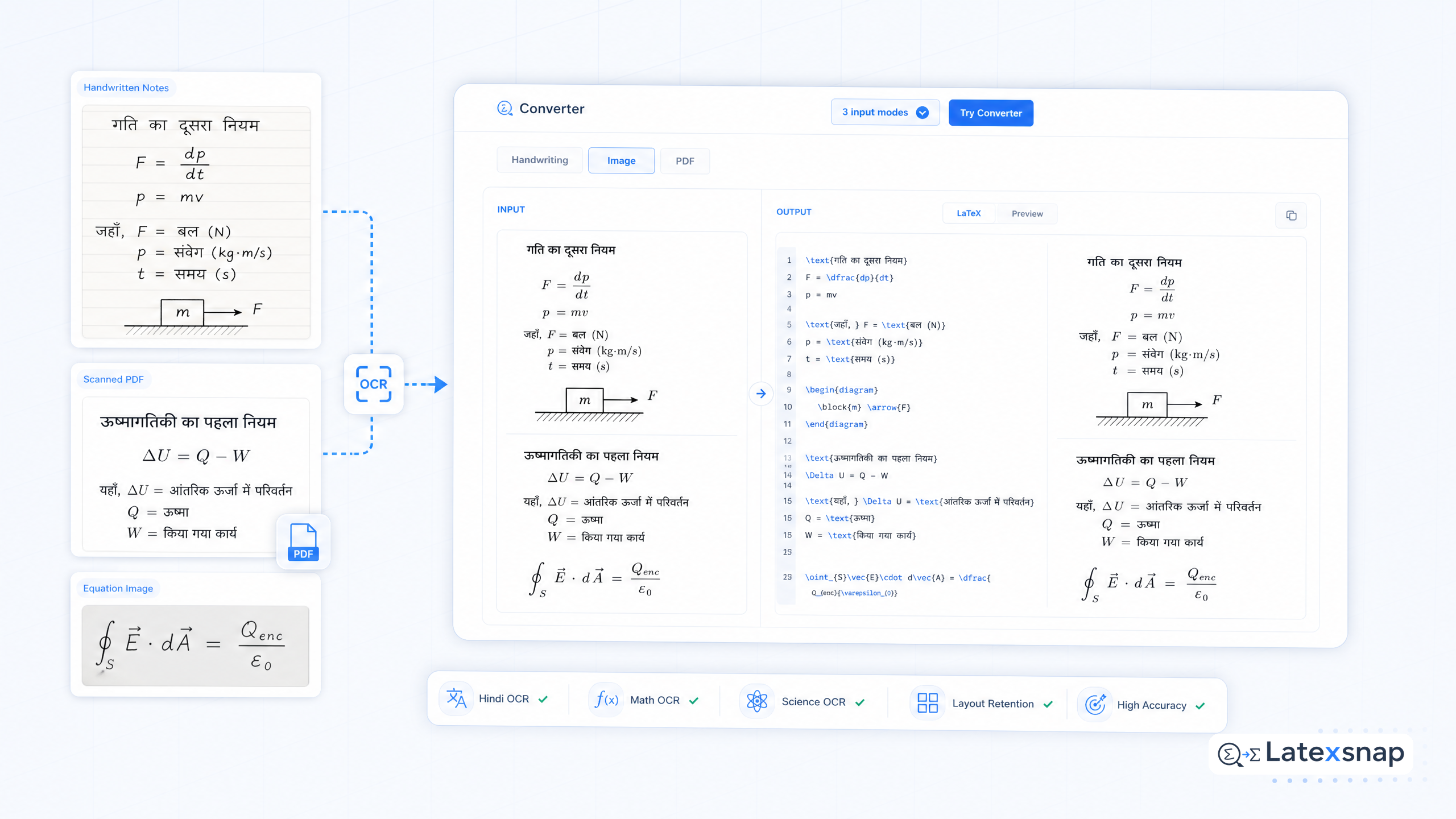
Hindi text combined with mathematical expressions can be challenging to digitize accurately. Traditional OCR tools often struggle with non-Latin scripts or complex equations. LatexSnap addresses these issues by offering high-precision recognition for both Hindi characters and mathematical notation.
Whether you're converting lecture notes, research papers, or textbook excerpts, LatexSnap ensures that your content remains accurate and editable. This is especially useful for educators preparing materials or researchers compiling data from multiple sources.
How LatexSnap handles bulk image and PDF conversion
LatexSnap is more than just a formula OCR tool. It's an API that integrates seamlessly into applications, allowing developers to process large batches of images or PDFs efficiently. With a simple HTTP request, you can convert hundreds of files in minutes. For teams extending this workflow, How to Convert Images to LaTeX Equations is a natural follow-up for formula OCR workflow.
For students and researchers managing extensive document collections, this bulk conversion capability is a game-changer. It eliminates the need for manual scanning and typing, streamlining your workflow and saving valuable time. A useful companion workflow is The best OCR for images and PDFs with Japanese characters and math, especially when document OCR workflow becomes part of the review process.
Capturing handwritten notes and printed text
LatexSnap excels at converting both handwritten and printed text into LaTeX. Whether you're working with a scanned notebook or a digital screenshot, the tool delivers precise results. This makes it perfect for students taking notes in class or researchers digitizing old documents.
The capture process is straightforward: take a screenshot using keyboard shortcuts like Ctrl + Cmd + M (Mac) or Ctrl + Alt + M (Windows), then upload the image to LatexSnap. Within seconds, you'll have editable LaTeX code ready for use.
Converting images with Hindi characters
Hindi text recognition is one of LatexSnap's standout features. Many OCR tools struggle with non-Latin scripts, but LatexSnap handles Hindi characters with ease. This makes it an excellent choice for users working with bilingual documents or regional content.
To convert images with Hindi text, simply upload the file to LatexSnap. The tool will recognize both the script and any accompanying mathematical expressions, delivering a clean, editable output.
Exporting to multiple formats
LatexSnap doesn't just convert images to LaTeX. It supports multiple export formats, including DOCX, MathML, and HTML. This flexibility allows you to use the converted content in various applications, from word processors to web platforms.
For researchers and educators, this multi-format support is invaluable. You can export your converted documents directly into your preferred workflow, ensuring compatibility across different tools and systems. When the document pipeline gets more complex, How to Write Fractions in LaTeX gives more context on LaTeX editing workflow.
Tips for optimizing your OCR workflow
To get the best results from LatexSnap, follow these practical tips:
- Ensure high-quality input images. Clear, well-lit scans yield better recognition accuracy.
- Crop images carefully to remove unnecessary margins or distractions.
- Review the converted LaTeX for ambiguous symbols or formatting issues.
- Use manual adjustments for complex equations or mixed-language content.
By combining these strategies with LatexSnap's powerful OCR capabilities, you can streamline your document processing and focus on what matters most: creating high-quality content.
Final thoughts
LatexSnap is a versatile formula OCR tool designed for students, researchers, and professionals working with Hindi, math, and scientific documents. Its ability to handle bulk conversions, handwritten notes, and multiple export formats makes it an essential tool for anyone dealing with formula-heavy content.
Whether you're converting lecture notes, research papers, or textbook excerpts, LatexSnap delivers accurate, editable results in seconds. With its user-friendly interface and powerful API, it's the ideal solution for anyone looking to simplify their document workflow. If you want to compare this with another practical angle, PDF to LaTeX Converter Workflow covers document OCR workflow in more detail.
Convert formulas faster
Turn screenshots, handwriting, and PDFs into editable LaTeX.
