The best OCR for images and PDFs with Japanese characters and math
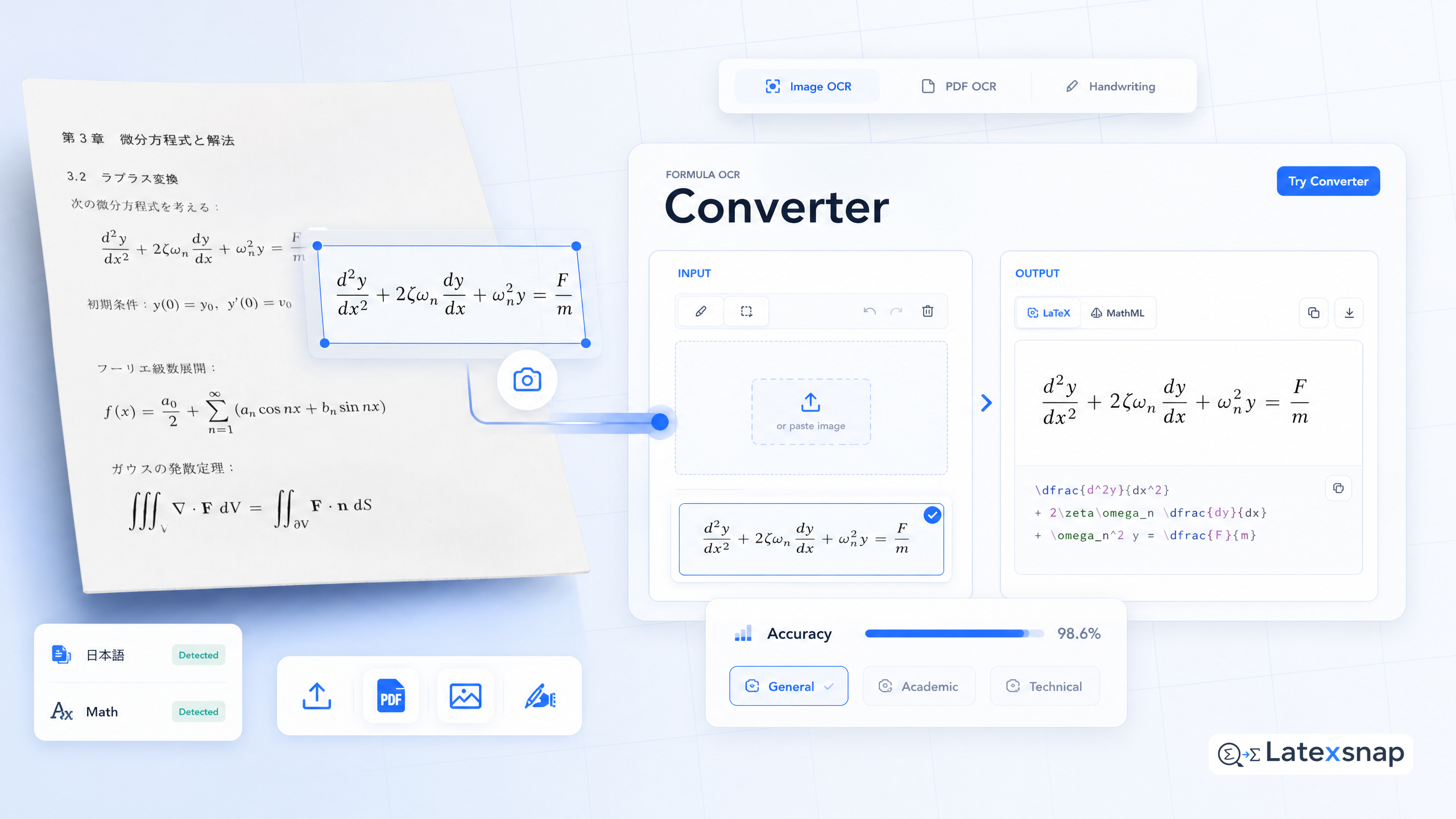
If you're a student, researcher, or technical writer working with equations, you know how frustrating it can be to convert images or PDFs containing math into editable LaTeX. Whether you're digitizing lecture notes, transcribing handwritten formulas, or converting scanned documents, having a reliable formula OCR tool can save you hours of manual work. When the document pipeline gets more complex, How to Convert Images to LaTeX Equations gives more context on formula OCR workflow.
In this guide, we'll walk through how to use a formula OCR tool to convert images and PDFs with Japanese characters and math into editable LaTeX. We'll cover everything from setting up your workspace to reviewing and refining the output. For a related next step on document OCR workflow, see The best OCR for Hindi images and PDFs with math and science.
Why use a formula OCR tool?
Formula OCR tools are designed to recognize and convert mathematical expressions from images into LaTeX code. This is especially useful for:
- Converting handwritten notes into LaTeX
- Digitizing scanned documents with equations
- Extracting formulas from PDFs or screenshots
Unlike general-purpose OCR tools, formula OCR is optimized for mathematical notation, making it ideal for students, researchers, and educators who work with complex equations.
How to get started with a formula OCR tool
To begin using a formula OCR tool, you'll need to download the desktop or mobile app, or use the web interface. Here's a quick overview:
- Download the app or visit the web interface.
- Upload an image or PDF containing math or Japanese text.
- Click "Convert" to generate LaTeX code.
- Copy the output and paste it into your LaTeX editor.
For bulk conversions, you can also use the formula OCR API to integrate the tool into your workflow. A useful companion workflow is The best OCR for Cyrillic alphabet texts with math and science, especially when document OCR workflow becomes part of the review process.
Tips for getting the best results
To ensure accurate conversions, keep the following tips in mind:
- Crop the image tightly: Remove unnecessary borders or background elements to focus on the equation.
- Ensure high contrast: Clear, high-contrast images yield better recognition results.
- Check for ambiguous symbols: Some characters may be misinterpreted, so review the output carefully.
- Verify LaTeX structure: Ensure that the generated code is syntactically correct and properly formatted.
Common challenges and how to overcome them
Even with advanced OCR technology, there are some common issues you might encounter:
- Handwritten equations: These can be harder to recognize than typed text. Try to use clear, legible handwriting for better results.
- Complex layouts: Equations with multiple lines or nested structures may require manual adjustments.
- Special characters: Some symbols may not be recognized correctly. In such cases, you may need to manually edit the LaTeX code.
Review and refine your LaTeX output
After converting your image or PDF, take the time to review the generated LaTeX code. Look for any errors or inconsistencies, and make necessary adjustments. This step is crucial for ensuring that your final document is accurate and professional. If you want to compare this with another practical angle, PDF to LaTeX Converter Workflow covers document OCR workflow in more detail.
Conclusion
A formula OCR tool is an invaluable resource for anyone working with mathematical equations in LaTeX. Whether you're a student taking notes, a researcher digitizing documents, or a technical writer creating content, this tool can streamline your workflow and save you time. For teams extending this workflow, PDF to Word Conversion for Equation OCR is a natural follow-up for document OCR workflow.
By following the tips and best practices outlined in this guide, you can achieve accurate and reliable conversions, making your LaTeX documents more efficient and error-free.
Ready to get started? Download the app or use the web interface to begin converting your images and PDFs today.
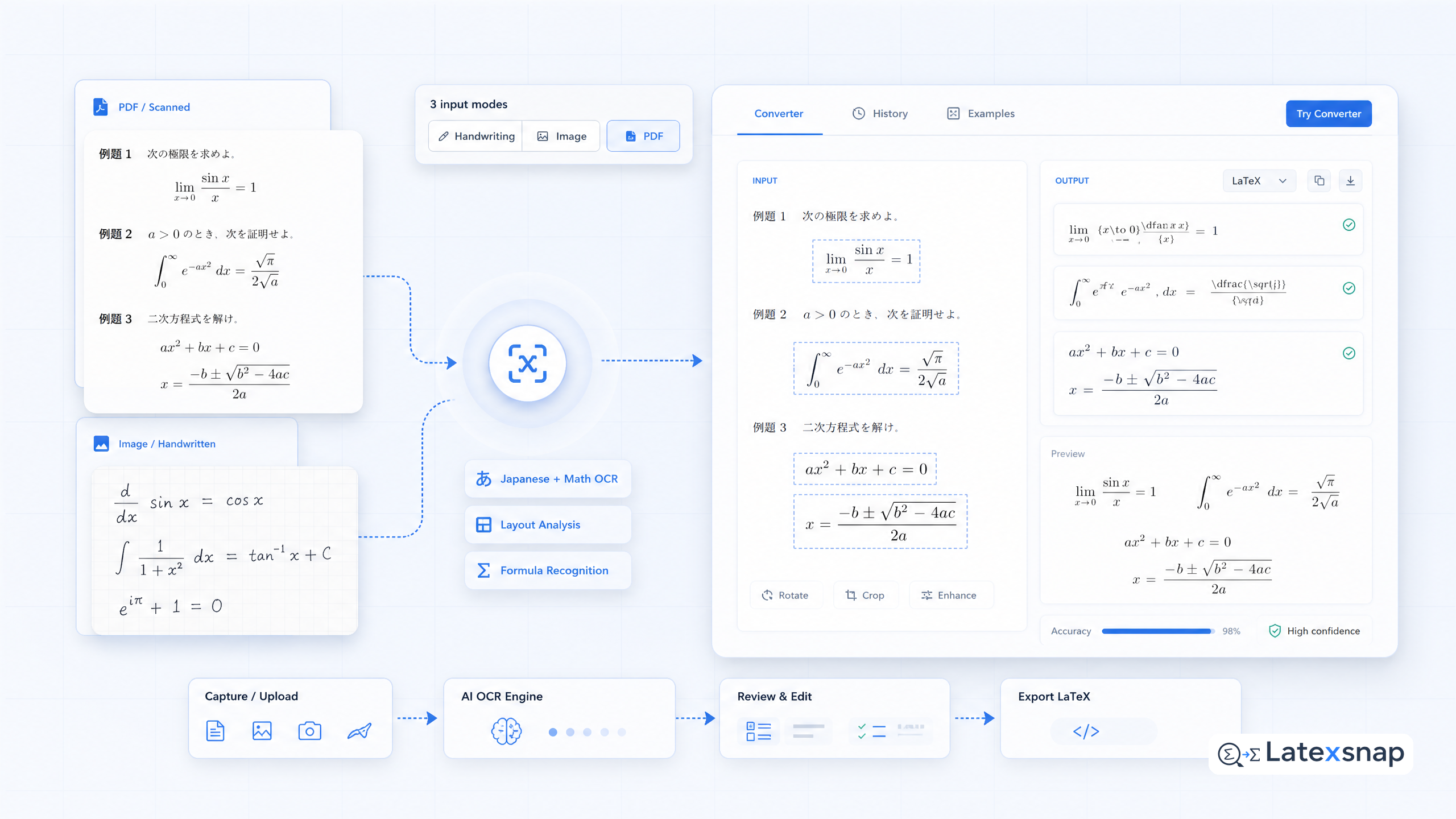
Convert formulas faster
Turn screenshots, handwriting, and PDFs into editable LaTeX.
