How to Convert Images to LaTeX Equations
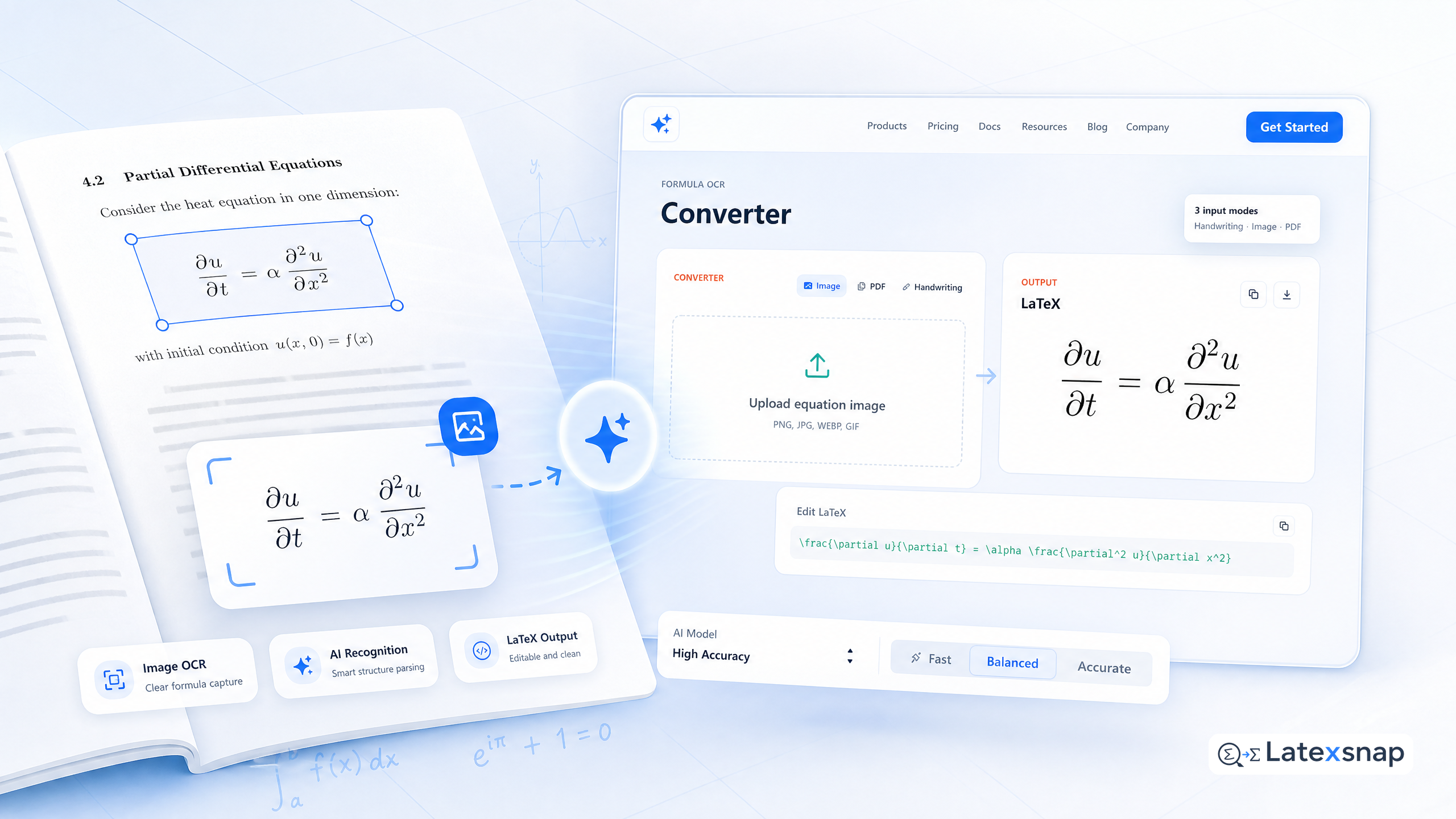
For researchers and students working with mathematical content, converting equations from textbooks, papers, or handwritten notes into LaTeX can be one of the most time-consuming aspects of academic writing. What often takes hours of manual typing and formatting can now be accomplished in seconds with an image-to-LaTeX converter. For a related next step on formula OCR workflow, see Image to LaTeX workflow.
Why Convert Images to LaTeX?
LaTeX is the standard for typesetting scientific documents, especially those containing complex equations, tables, and diagrams. However, manually transcribing equations from images or handwritten notes can be tedious and error-prone. Converting images to LaTeX offers several advantages:
- Speed: Automating the transcription process saves significant time.
- Accuracy: Reduces the likelihood of transcription errors.
- Consistency: Ensures uniform formatting across documents.
- Accessibility: Makes it easier to work with equations from various sources, including scanned documents and photographs.
Steps to Convert Images to LaTeX
Converting images to LaTeX equations involves a few straightforward steps. Here's a detailed guide to help you get started:
1. Capture the Equation
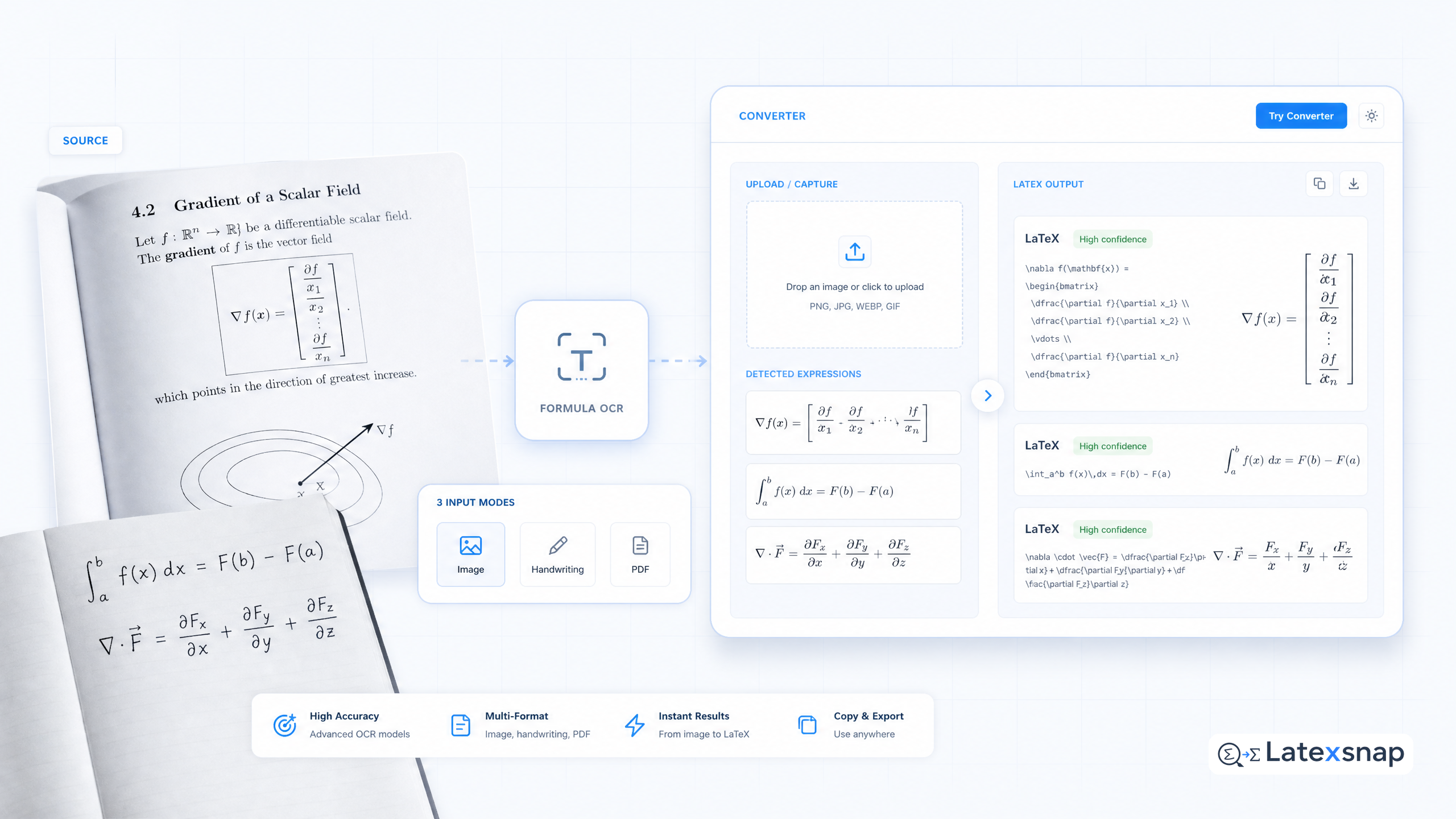
The first step is to capture the equation you wish to convert. This can be done in several ways:
- Screenshots: If the equation is on a computer screen, take a screenshot.
- Photographs: For equations in books or papers, take a clear photograph.
- Handwritten Notes: If you have handwritten equations, ensure they are legible and well-organized.
2. Choose an Image-to-LaTeX Converter
There are several tools available for converting images to LaTeX. Some popular options include:
- Online Converters: Websites that allow you to upload an image and receive LaTeX code in return.
- Desktop Applications: Software that runs on your computer and offers advanced features for equation conversion.
- Mobile Apps: Applications for smartphones and tablets that enable quick and easy equation transcription.
3. Upload the Image
Once you have your image, upload it to the chosen converter. Ensure the image is clear and the equation is legible. Most converters will provide guidelines on image quality and format. If you want to compare this with another practical angle, Handwriting to LaTeX: Convert Your Notes Instantly covers formula OCR workflow in more detail.
4. Convert the Image to LaTeX
After uploading the image, initiate the conversion process. The converter will analyze the image and generate the corresponding LaTeX code. This process is typically automated and quick, thanks to advanced optical character recognition (OCR) technology.
5. Review and Edit the LaTeX Code
Once the conversion is complete, review the generated LaTeX code. While most converters are accurate, it's essential to check for any errors or formatting issues. Make necessary edits to ensure the equation is correctly represented in LaTeX.
6. Insert the LaTeX Code into Your Document
Finally, insert the edited LaTeX code into your document. This can be done directly in your LaTeX editor or by pasting the code into a .tex file. Compile the document to see the rendered equation. For teams extending this workflow, How to insert equations to PowerPoint and Google Docs is a natural follow-up for formula OCR workflow.
Tips for Effective Equation Conversion
To ensure the best results when converting images to LaTeX, consider the following tips: When the document pipeline gets more complex, AI Drafting for LaTeX Equations gives more context on LatexSnap workflow.
- Image Quality: Use high-resolution images to improve the accuracy of the conversion.
- Clear Formatting: Ensure the equation is well-formatted and free from distractions.
- Check for Errors: Always review the generated LaTeX code for any discrepancies.
- Use Templates: Some converters offer templates for common equation types, which can speed up the process.
Common Challenges and Solutions
While converting images to LaTeX is generally straightforward, you may encounter some challenges. Here are a few common issues and their solutions:
- Blurry Images: If the image is blurry, try to obtain a clearer version or use image enhancement tools.
- Complex Equations: For highly complex equations, manual verification is crucial to ensure accuracy.
- Formatting Issues: Adjust the LaTeX code to match the desired formatting, using templates or style guides as needed.
Conclusion
Converting images to LaTeX equations is a valuable skill for anyone working with scientific and technical documents. By following the steps outlined above and using the right tools, you can streamline your workflow and focus more on the content of your work. Whether you're a student, researcher, or professional, mastering the art of equation conversion can significantly enhance your productivity and document quality. A useful companion workflow is Writing LaTeX Math Equations with AI, especially when formula OCR workflow becomes part of the review process.
Convert formulas faster
Turn screenshots, handwriting, and PDFs into editable LaTeX.
