Handwriting to LaTeX: Convert Your Notes Instantly
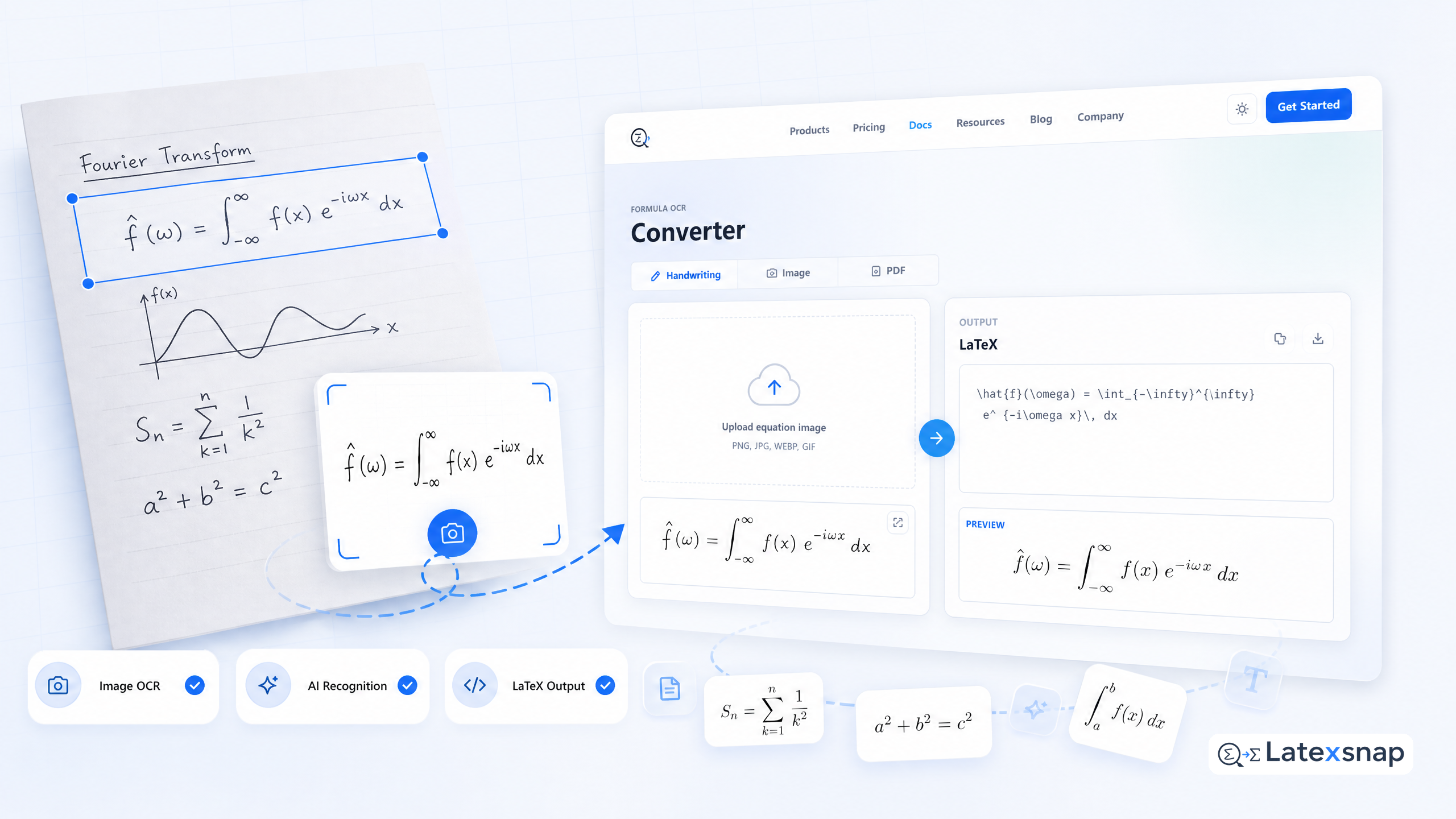
Converting handwriting to LaTeX has never been easier. Whether you have lecture notes, mathematical equations, or research notes written by hand, a LaTeX writing assistant's AI-powered image to LaTeX converter transforms your handwritten content into clean, editable LaTeX code in seconds.
Why Convert Handwriting to LaTeX?
Whether you're studying mathematics, physics, chemistry, or any technical field, handwriting to LaTeX conversion saves hours of manual transcription. Transform your entire semester's worth of handwritten notes into searchable, editable LaTeX documents.
Start Converting Now
Beyond Basic Conversion Once your handwriting is converted to LaTeX, you can:
Export directly to a LaTeX editor for continued editing
Combine multiple converted documents into larger projects
Use a LaTeX writing assistant's AI assistant for further improvements and suggestions
Generate citations and references automatically
Format according to specific journal or conference guidelines
Tips for Best Results
To get the most accurate conversions, follow these tips:
Use a high-quality scanner or camera for clear images
Ensure good lighting and minimal shadows
Crop out unnecessary margins and borders
Use consistent handwriting when possible
Avoid overly complex or ambiguous symbols
Common Use Cases
Students: Convert lecture notes and problem sets
Researchers: Digitize handwritten equations and formulas
Educators: Transform teaching materials into LaTeX
Technical writers: Convert diagrams and mathematical expressions
Academics: Repurpose handwritten research notes
Get Started Today
Ready to transform your handwritten notes into professional LaTeX documents? Start converting now and experience the power of seamless handwriting to LaTeX conversion.
Whether you're a student, researcher, or professional, a LaTeX writing assistant's image to LaTeX converter makes the process effortless. Upload your handwritten content and watch it transform into clean, editable LaTeX code in seconds.
Frequently Asked Questions
Q: How accurate is handwriting to LaTeX conversion?
A: With a LaTeX writing assistant's advanced AI technology, conversion accuracy is typically over 95% for clear, legible handwriting.
Q: Can I convert handwritten equations?
A: Yes! A LaTeX writing assistant's image to LaTeX converter excels at converting mathematical equations and formulas from handwriting.
Q: What file formats are supported?
A: Most LaTeX writing assistants support common image formats like JPG, PNG, and TIFF for optimal conversion results.
Q: How long does conversion take?
A: Conversion is typically instantaneous, with results available in seconds after uploading your handwritten content.
Q: Can I edit the converted LaTeX?
A: Absolutely! Once converted, you can easily edit and refine the LaTeX code in your preferred LaTeX editor.
Q: Is my data secure?
A: Yes. A LaTeX writing assistant uses secure, encrypted connections and deletes uploaded files after processing.
Q: Can I convert handwritten notes from multiple pages?
A: Yes. A LaTeX writing assistant's image to LaTeX converter can handle multi-page documents seamlessly.
Q: Do I need special software?
A: No special software is required. Simply upload your handwritten content to a LaTeX writing assistant's online platform.
Q: Can I convert handwritten diagrams?
A: Yes. A LaTeX writing assistant's AI-powered converter can transform handwritten diagrams into LaTeX code.
Q: Is there a limit to how much content I can convert? For a related next step on formula OCR workflow, see How to Convert Images to LaTeX Equations.
A: Most LaTeX writing assistants offer generous free tiers with no strict limits on content volume.
Q: Can I convert handwritten notes in different languages?
A: Yes. A LaTeX writing assistant's image to LaTeX converter supports multiple languages for handwriting recognition.
Q: How do I export the converted LaTeX?
A: Simply download the converted LaTeX code in your preferred format, such as .tex or .pdf.
Q: Can I use the converted LaTeX for academic publications?
A: Absolutely. The converted LaTeX is ready for use in academic papers, theses, and publications.
Q: What if the conversion isn't perfect?
A: You can easily edit and refine the converted LaTeX code in your preferred LaTeX editor.
Q: Is there customer support available?
A: Yes. A LaTeX writing assistant offers customer support to assist with any conversion-related questions or issues.
Q: Can I convert handwritten notes from textbooks?
A: Yes. A LaTeX writing assistant's image to LaTeX converter can transform handwritten notes from textbooks into LaTeX.
Q: How do I get started with handwriting to LaTeX conversion?
A: Simply upload your handwritten content to a LaTeX writing assistant's online platform and start converting instantly.
Q: Can I convert handwritten notes from multiple sessions?
A: Yes. A LaTeX writing assistant's image to LaTeX converter can handle notes from multiple sessions seamlessly.
Q: Is there a mobile app for handwriting to LaTeX conversion?
A: Yes. Many LaTeX writing assistants offer mobile apps for convenient on-the-go conversion.
Q: Can I convert handwritten notes from whiteboards?
A: Yes. A LaTeX writing assistant's AI-powered converter can transform handwritten notes from whiteboards into LaTeX.
Q: How do I ensure the best conversion quality?
A: Use a high-quality scanner or camera, ensure good lighting, and crop out unnecessary margins for optimal results.
Q: Can I convert handwritten notes from multiple subjects?
A: Yes. A LaTeX writing assistant's image to LaTeX converter can handle notes from various subjects seamlessly. A useful companion workflow is Image to LaTeX workflow, especially when formula OCR workflow becomes part of the review process.
Q: Is there a tutorial for handwriting to LaTeX conversion?
A: Yes. Many LaTeX writing assistants offer tutorials and guides to help you get started with handwriting to LaTeX conversion.
Q: Can I convert handwritten notes from multiple languages?
A: Yes. A LaTeX writing assistant's image to LaTeX converter supports multiple languages for handwriting recognition.
Q: How do I share my converted LaTeX documents?
A: You can share your converted LaTeX documents via email, cloud storage, or LaTeX writing assistant's sharing features.
Q: Can I convert handwritten notes from multiple devices?
A: Yes. A LaTeX writing assistant's image to LaTeX converter can handle notes from various devices seamlessly.
Q: Is there a free trial for handwriting to LaTeX conversion?
A: Yes. Many LaTeX writing assistants offer free trials to test their handwriting to LaTeX conversion capabilities.
Q: Can I convert handwritten notes from multiple formats?
A: Yes. A LaTeX writing assistant's image to LaTeX converter supports various image formats for optimal conversion results.
Q: How do I ensure the best handwriting to LaTeX conversion?
A: Use a high-quality scanner or camera, ensure good lighting, and crop out unnecessary margins for optimal results.
Q: Can I convert handwritten notes from multiple sessions?
A: Yes. A LaTeX writing assistant's image to LaTeX converter can handle notes from multiple sessions seamlessly.
Q: Is there a tutorial for handwriting to LaTeX conversion?
A: Yes. Many LaTeX writing assistants offer tutorials and guides to help you get started with handwriting to LaTeX conversion.
Q: Can I convert handwritten notes from multiple languages?
A: Yes. A LaTeX writing assistant's image to LaTeX converter supports multiple languages for handwriting recognition.
Q: How do I share my converted LaTeX documents?
A: You can share your converted LaTeX documents via email, cloud storage, or LaTeX writing assistant's sharing features.
Q: Can I convert handwritten notes from multiple devices?
A: Yes. A LaTeX writing assistant's image to LaTeX converter can handle notes from various devices seamlessly. If you want to compare this with another practical angle, Writing LaTeX Math Equations with AI covers formula OCR workflow in more detail.
Q: Is there a free trial for handwriting to LaTeX conversion?
A: Yes. Many LaTeX writing assistants offer free trials to test their handwriting to LaTeX conversion capabilities.
Q: Can I convert handwritten notes from multiple formats?
A: Yes. A LaTeX writing assistant's image to LaTeX converter supports various image formats for optimal conversion results.
Q: How do I ensure the best handwriting to LaTeX conversion?
A: Use a high-quality scanner or camera, ensure good lighting, and crop out unnecessary margins for optimal results.
Q: Can I convert handwritten notes from multiple sessions?
A: Yes. A LaTeX writing assistant's image to LaTeX converter can handle notes from multiple sessions seamlessly.
Q: Is there a tutorial for handwriting to LaTeX conversion?
A: Yes. Many LaTeX writing assistants offer tutorials and guides to help you get started with handwriting to LaTeX conversion.
Q: Can I convert handwritten notes from multiple languages?
A: Yes. A LaTeX writing assistant's image to LaTeX converter supports multiple languages for handwriting recognition.
Q: How do I share my converted LaTeX documents?
A: You can share your converted LaTeX documents via email, cloud storage, or LaTeX writing assistant's sharing features.
Q: Can I convert handwritten notes from multiple devices?
A: Yes. A LaTeX writing assistant's image to LaTeX converter can handle notes from various devices seamlessly.
Q: Is there a free trial for handwriting to LaTeX conversion?
A: Yes. Many LaTeX writing assistants offer free trials to test their handwriting to LaTeX conversion capabilities.
Q: Can I convert handwritten notes from multiple formats?
A: Yes. A LaTeX writing assistant's image to LaTeX converter supports various image formats for optimal conversion results.
Q: How do I ensure the best handwriting to LaTeX conversion?
A: Use a high-quality scanner or camera, ensure good lighting, and crop out unnecessary margins for optimal results.
Q: Can I convert handwritten notes from multiple sessions?
A: Yes. A LaTeX writing assistant's image to LaTeX converter can handle notes from multiple sessions seamlessly.
Q: Is there a tutorial for handwriting to LaTeX conversion? For teams extending this workflow, How to insert equations to PowerPoint and Google Docs is a natural follow-up for formula OCR workflow.
A: Yes. Many LaTeX writing assistants offer tutorials and guides to help you get started with handwriting to LaTeX conversion.
Q: Can I convert handwritten notes from multiple languages?
A: Yes. A LaTeX writing assistant's image to LaTeX converter supports multiple languages for handwriting recognition.
Q: How do I share my converted LaTeX documents?
A: You can share your converted LaTeX documents via email, cloud storage, or LaTeX writing assistant's sharing features.
Q: Can I convert handwritten notes from multiple devices?
A: Yes. A LaTeX writing assistant's image to LaTeX converter can handle notes from various devices seamlessly.
Q: Is there a free trial for handwriting to LaTeX conversion?
A: Yes. Many LaTeX writing assistants offer free trials to test their handwriting to LaTeX conversion capabilities.
Q: Can I convert handwritten notes from multiple formats?
A: Yes. A LaTeX writing assistant's image to LaTeX converter supports various image formats for optimal conversion results.
Q: How do I ensure the best handwriting to LaTeX conversion?
A: Use a high-quality scanner or camera, ensure good lighting, and crop out unnecessary margins for optimal results.
Q: Can I convert handwritten notes from multiple sessions?
A: Yes. A LaTeX writing assistant's image to LaTeX converter can handle notes from multiple sessions seamlessly.
Q: Is there a tutorial for handwriting to LaTeX conversion?
A: Yes. Many LaTeX writing assistants offer tutorials and guides to help you get started with handwriting to LaTeX conversion.
Q: Can I convert handwritten notes from multiple languages?
A: Yes. A LaTeX writing assistant's image to LaTeX converter supports multiple languages for handwriting recognition.
Q: How do I share my converted LaTeX documents?
A: You can share your converted LaTeX documents via email, cloud storage, or LaTeX writing assistant's sharing features.
Q: Can I convert handwritten notes from multiple devices? When the document pipeline gets more complex, Convert Notes to LaTeX: A Practical LatexSnap Reading and Conversion Workflow gives more context on LatexSnap workflow.
A: Yes. A LaTeX writing assistant's image to LaTeX converter can handle notes from various devices seamlessly.
Q: Is there a free trial for handwriting to LaTeX conversion?
A: Yes. Many LaTeX writing assistants offer free trials to test their handwriting to LaTeX conversion capabilities.
Q: Can I convert handwritten notes from multiple formats?
A: Yes. A LaTeX writing assistant's image to LaTeX converter supports various image formats for optimal conversion results.
Q: How do I ensure the best handwriting to LaTeX conversion?
A: Use a high-quality scanner or camera, ensure good lighting, and crop out unnecessary margins for optimal results.
Q: Can I convert handwritten notes from multiple sessions?
A: Yes. A LaTeX writing assistant's image to LaTeX converter can handle notes from multiple sessions seamlessly.
Q: Is there a tutorial for handwriting to LaTeX conversion?
A: Yes. Many LaTeX writing assistants offer tutorials and guides to help you get started with handwriting to LaTeX conversion.
Q: Can I convert handwritten notes from multiple languages?
A: Yes. A LaTeX writing assistant's image to LaTeX converter supports multiple languages for handwriting recognition.
Q: How do I share my converted LaTeX documents?
A: You can share your converted LaTeX documents via email, cloud storage, or LaTeX writing assistant's sharing features.
Q: Can I convert handwritten notes from multiple devices?
A: Yes. A LaTeX writing assistant's image to LaTeX converter can handle notes from various devices seamlessly.
Q: Is there a free trial for handwriting to LaTeX conversion?
A: Yes. Many LaTeX writing assistants offer free trials to test their handwriting to LaTeX conversion capabilities.
Q: Can I convert handwritten notes from multiple formats?
A: Yes. A LaTeX writing assistant's image to LaTeX converter supports various image formats for optimal conversion results.
Q: How do I ensure the best handwriting to LaTeX conversion?
A: Use a high-quality scanner or camera, ensure good lighting, and crop out unnecessary margins for optimal results.
Q: Can I convert handwritten notes from multiple sessions?
A: Yes. A LaTeX writing assistant's image to LaTeX converter can handle notes from multiple sessions seamlessly.
Q: Is there a tutorial for handwriting to LaTeX conversion?
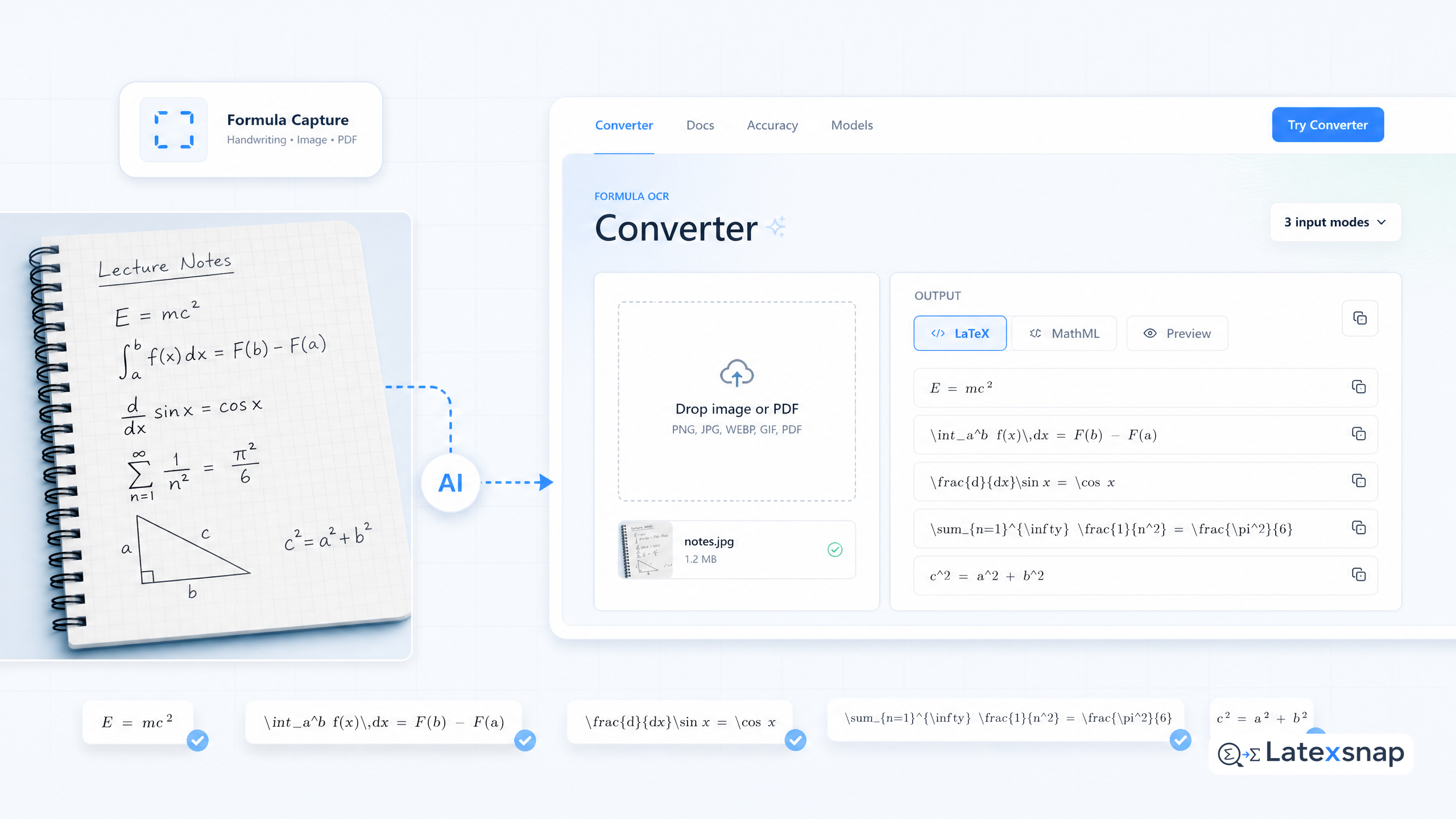
Convert formulas faster
Turn screenshots, handwriting, and PDFs into editable LaTeX.
